How to Clean Car Battery Terminal Corrosion Safely
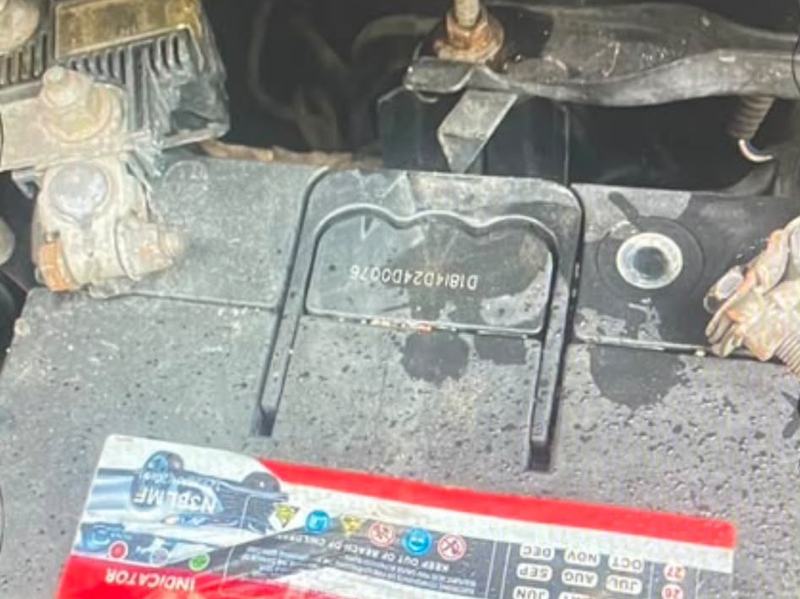
If you have ever opened the bonnet and seen white, blue or green crust around the battery posts, you have seen terminal corrosion. It looks messy, but it is more than cosmetic. The crust blocks the flow of electricity, which can cause slow starting, dim lights and a battery that never seems to charge properly. The good news is that you can clean it yourself with simple tools.
Short version: disconnect the negative terminal first, scrub off the corrosion with baking soda and water and a brush, dry everything, reconnect the positive terminal first, then coat the terminals with grease to slow it coming back.
Why corrosion forms
- Acid vapour. Small amounts of gas escape from the battery around the posts and react with the metal and air.
- Loose or dirty clamps that let gas and moisture creep in.
- Overcharging or heat, which increase the gas the battery gives off. See how heat affects car batteries.
- An ageing or leaking battery.
The colour gives a hint. White or grey crust is usually around the negative post, while blue or green crust is usually at the positive side and involves the copper of the clamp.
Safety first
- Wear eye protection and gloves. Battery acid can burn skin and damage eyes and clothing.
- Turn off the engine, take out the key and switch off all lights and accessories.
- Remove rings, watches and metal jewellery.
- Keep sparks, cigarettes and flames away from the battery.
- Work in a ventilated area.
What you need
- Baking soda
- Warm water and a cup
- An old toothbrush or a battery terminal brush
- A spanner that fits the clamp nuts
- Clean cloths or paper towels
- Petroleum jelly or a battery terminal protector spray or grease
Step by step
- Check your manual. Some cars lose radio codes, clock settings or learned engine settings when the battery is disconnected.
- Disconnect the negative terminal first. Loosen the nut, lift the clamp off the post and move it aside so it cannot touch the post. Then disconnect the positive terminal.
- Mix the cleaner. Stir about a tablespoon of baking soda into a cup of warm water.
- Apply it. Dip the brush in the mixture and scrub the posts and the inside of the clamps. It will fizz as it neutralises the acid.
- Keep the liquid out of the cells. If your battery has removable caps, make sure none of the mixture gets inside.
- Rinse lightly with a small amount of clean water, avoiding wiring and electrical parts.
- Dry everything with a clean cloth.
- Clean to bare metal. Scrub the posts and the insides of the clamps with a wire brush until they look shiny.
- Reconnect the positive terminal first, then the negative. Tighten so that the clamps do not move when you try to twist them, but do not overtighten.
- Protect the metal. Apply a thin coat of petroleum jelly or terminal protector to the terminals and clamps.
Keeping it from coming back
- Check the terminals every few months.
- Keep the clamps tight and the battery firmly held down.
- Wipe away dirt and dampness from the top of the battery.
- Park in the shade when you can.
When corrosion is a warning sign
Occasional light crust is normal on an older battery. But if the corrosion returns quickly, or you see a swollen case, wet patches around the posts or a rotten-egg smell, the battery may be leaking or the charging system may be overcharging it. Have the battery and the alternator checked. See 7 signs your car battery is failing and why does my car battery keep dying?
If the battery is cracked or leaking, do not just clean it. Replace it. Our guide on how to choose the right car battery will help.